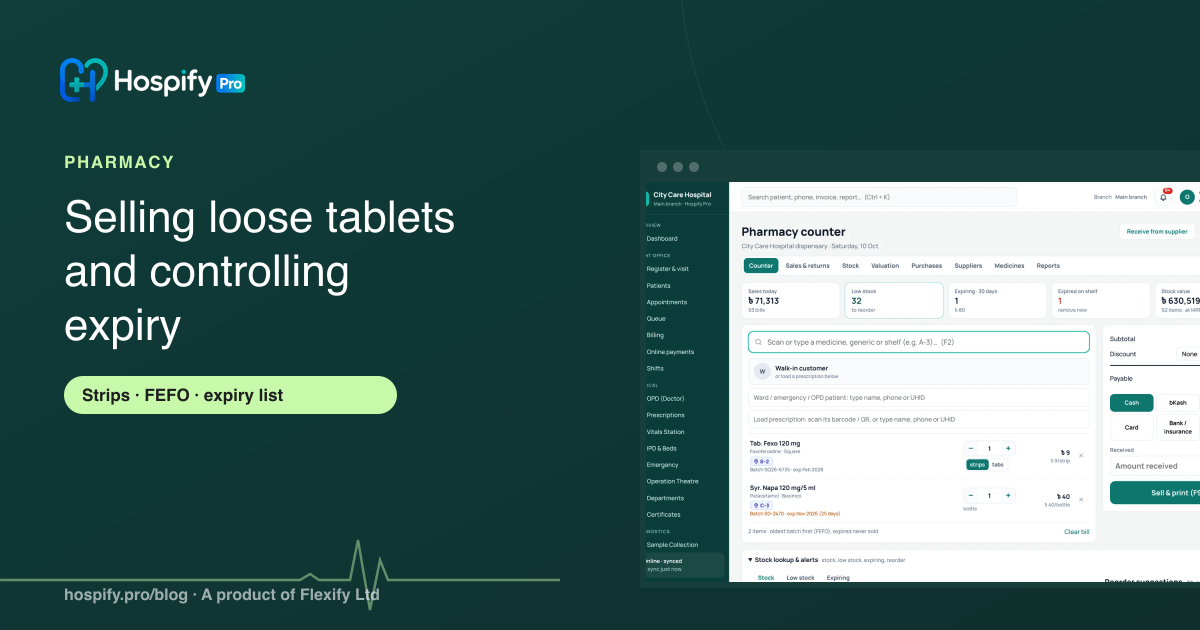
To sell loose tablets without losing stock, record every medicine with its pack size (for example, 10 tablets per strip), sell in tablets or strips, and let the software open a strip only when needed and price each tablet from the strip's MRP. To control expiry, enter batch and expiry for every purchase, sell first-expiry-first-out (FEFO), check a near-expiry list every week so you can sell or return stock in time, refuse short-dated stock from suppliers, and make sure expired batches can never be sold. Pharmacy software does all of this at the counter without extra work.
In this guide 6 sections
Two problems quietly eat a pharmacy’s profit. The first is loose tablets: a strip is opened for a customer who wants four tablets, the rest are put in a box, and by the end of the month nobody knows how many are left. The second is expiry: medicine sits at the back of the shelf until the day someone notices it expired two months ago.
Both are easy to control once the counter software knows two things about every medicine: how many tablets are in a pack, and the batch and expiry of every piece of stock.
Part 1: Selling loose tablets without losing count
Record the pack size for every medicine
For each medicine, set how many units are in one pack:
- Paracetamol 500 mg: 10 tablets per strip.
- Omeprazole 20 mg: 10 capsules per strip.
- A syrup: 1 bottle (never sold loose).
This one number is what makes loose sales work.
Sell in strips or tablets
At the counter the cashier chooses strip or tablet and the quantity. If a customer asks for four tablets:
- The software takes them from loose tablets already open in that batch, if there are any.
- If not, it opens one strip, sells four tablets, and keeps six as loose stock.
- Stock now shows, for example, “12 strips + 6 tablets”.
Price each tablet from the strip MRP
A tablet’s price should be the strip MRP divided by the number of tablets in it, so a strip of 10 at Tk 12 sells at Tk 1.20 per tablet. The software should round the bill sensibly, not leave the cashier to calculate it.
Count loose tablets at stock-taking
When you count stock, count strips and loose tablets separately and enter both. Any difference is recorded as a count adjustment with a reason, so missing tablets show up instead of disappearing.
Part 2: Controlling expiry
Enter batch and expiry on every purchase
Every supplier invoice should be entered with batch number and expiry date for each line. Without this, nothing else in this guide works.
Sell first-expiry-first-out (FEFO)
When a customer buys paracetamol, the software should take it from the batch that expires first, not the one that arrived first or the one at the front of the shelf. Arrange the shelf the same way, older batches in front.
Check the near-expiry list every week
Set a near-expiry window, for example 90 days, and look at the list every week:
- Move it forward: put near-expiry stock where staff will pick it first.
- Return it: if your supplier takes returns before expiry, send it back in time.
- Stop reordering: do not buy more of a medicine that is already expiring on the shelf.
Refuse short-dated stock
Set a minimum shelf life for new stock, for example 30 days. When a purchase is entered with a batch that expires sooner, the software should warn you or stop the entry. This protects you from being sent stock that is about to expire.
Never sell expired medicine
Expired batches must never reach a customer. The counter should simply not offer them. Remove expired stock from the shelf, write it off with a reason, and keep the record. The write-off value each month tells you how much expiry is really costing you.
A month with and without control
| Without control | With loose sales and expiry control | |
|---|---|---|
| Loose tablets | Kept in a box, never counted | Shown as strips + tablets, priced per tablet |
| Which batch is sold | Whatever is at the front | The one that expires first |
| Near expiry | Found by chance | Weekly list, returned or sold in time |
| Short-dated stock from suppliers | Accepted without noticing | Warned or blocked at entry |
| Expired medicine | Sometimes sold by mistake | Never offered at the counter, written off |
How Hospify Pro’s pharmacy does it
Hospify Pro’s pharmacy handles both at the counter:
- Pack size per medicine and loose sales (can be switched off if your pharmacy does not sell loose).
- Stock kept per batch as whole packs plus loose tablets; a strip is opened only when needed.
- Price per tablet from the strip MRP.
- FEFO: sales take stock from the unexpired batch that expires first.
- Expired batches are never sold.
- A near-expiry window you set (90 days by default) and the value of stock expiring soon in pharmacy reports.
- A minimum shelf life for new purchases (30 days by default).
- Write-offs and returns to supplier with a record.
The Pharmacy plan for a standalone pharmacy is Tk 1,500 a month$29 a month. Try it in the live pharmacy demo, or read our full guide to pharmacy management software in Bangladesh.
Checklist
- Pack size set for every medicine.
- Counter sells in strips or tablets; tablet price from strip MRP.
- Loose tablets counted at every stock-take.
- Batch and expiry entered on every purchase.
- FEFO at the counter and on the shelf.
- Near-expiry list checked every week.
- Minimum shelf life set for new stock.
- Expired stock never sold, written off with a reason.
Frequently asked questions
How do I sell loose tablets in pharmacy software?
Each medicine needs its pack size, for example 10 tablets per strip. At the counter you sell either whole strips or a number of tablets. When tablets are sold, the software opens a strip, keeps the rest as loose tablets, and prices each tablet as the strip's MRP divided by the tablets in it. Stock always shows strips plus loose tablets, so counts stay right.
What is FEFO and why does a pharmacy need it?
FEFO means first expiry, first out: the batch that expires first is sold first, whatever order it arrived in. It reduces the stock that expires on the shelf. Good pharmacy software picks the batch automatically at the counter.
How early should I look at near-expiry medicine?
Many pharmacies use a window of about 90 days, so there is time to sell the stock, move it to the front, or return it to the supplier if the agreement allows. Check the near-expiry list every week, not at the end of the month.
Can the software stop expired medicine being sold?
Yes. Hospify Pro sells only from batches that have not expired, so an expired batch never appears at the counter. Expired stock is written off with a reason, so the loss is recorded.
Should I accept stock from a supplier that expires soon?
It is safer not to. Set a minimum shelf life for new stock, for example 30 days, and the software warns or blocks a purchase entry with batches that expire sooner.
How much does pharmacy software cost?
Hospify Pro's Pharmacy plan for a standalone pharmacy is Tk 1,500 a month$29 a month. Clinics and diagnostic centres can add the Pharmacy module to their plan.

Hospify Pro is built by Flexify Ltd for hospitals, diagnostic centres, clinics, doctors and pharmacies in Bangladesh and beyond. Our guides come from the questions owners and managers ask us every week. About us