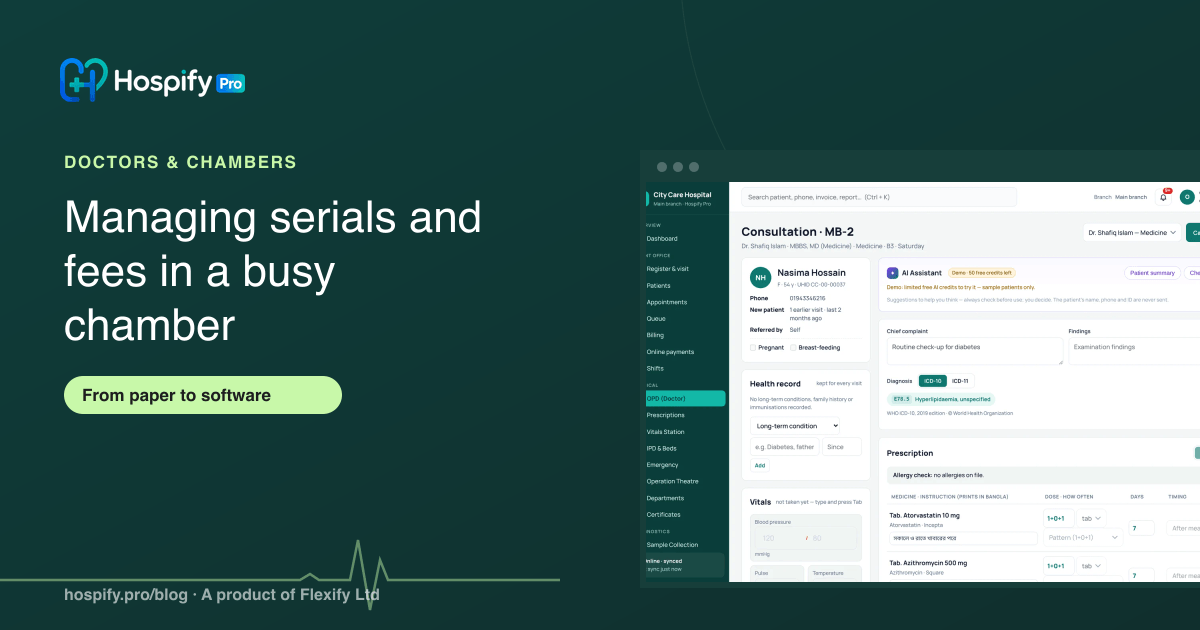
A doctor serial system replaces the paper register: the assistant books each serial with the patient's phone number, the patient gets a serial number and an estimated time, the right fee (new patient, follow-up or report check) is charged when they arrive, and the doctor's screen shows only who is next. Online booking, a waiting-room queue screen and an end-of-day fee summary remove most of the crowding and counting. Hospify Pro's Chamber plan does this for Tk 1,499 a month$24.99 a month, with one doctor and two assistant logins.
In this guide 10 sections
- 1. Set up the sessions before the first serial
- 2. Fix the fee rules once
- 3. Book every serial with a phone number
- 4. Let patients book online
- 5. The assistant runs the queue, the doctor sees only “next”
- 6. Close the day in two minutes
- A chamber evening, before and after
- How Hospify Pro’s Chamber plan does it
- Checklist for moving off the paper register
- Frequently asked questions
In most busy chambers the evening runs on a paper register. The assistant writes names in order, takes fees in a drawer, shouts the next name, and at the end of the night tries to match the money with the list. Patients who booked by phone arrive at the same time as walk-ins. The doctor is interrupted to ask whether a patient is “new” or “old”. Nobody knows how long the wait is.
None of this is the assistant’s fault. A paper register cannot show the queue, the fee rules or the money at a glance. This guide shows how a busy chamber moves serials and fees to software without slowing anyone down.
1. Set up the sessions before the first serial
Write down each chamber session the way it actually runs:
- Days and times, for example Saturday to Thursday, 5 pm to 9 pm.
- Serial limit for the session, for example 40 patients.
- Minutes per patient, for example 6 minutes. This is what gives each serial an estimated time.
- Serial prefix if more than one doctor sits in the same place, for example A for Dr. Rahman and B for Dr. Karim, so “A-12” and “B-12” are never confused.
If you sit in more than one chamber, set each one separately. The limit and fees can differ by chamber.
2. Fix the fee rules once
Most chambers have three fees, and most arguments at the desk come from not knowing which one applies.
| Visit type | When it applies | Example |
|---|---|---|
| New patient | First visit, or after your follow-up period | Tk 1,000 |
| Follow-up | Returning for the same problem within your follow-up period | Tk 600 |
| Report check | Showing test reports you ordered | Tk 300 |
Set these for each doctor in the software. The assistant only chooses the visit type; the amount follows. Decide your follow-up period (for example, within 30 days) and tell the assistant, so the rule is the same every day.
3. Book every serial with a phone number
Whether the patient calls, walks in or books online, take the phone number first:
- A returning patient is found by number, so their name, age and history are already there.
- The patient can get a reminder or a “doctor is running late” message.
- Two patients with the same name are never mixed up.
Give the patient their serial number and the estimated time. “Serial 18, around 6:45 pm” keeps the waiting room much emptier than “come at 5”.
4. Let patients book online
An online booking page lets patients pick a session and get a serial without calling the assistant at all. Bookings land in the same list as phone and walk-in serials, so there is still one queue. When the session is full, the page stops taking bookings.
If you have a chamber website, put the booking button at the top. Many patients search for the doctor’s name and want to book from their phone in one step.
5. The assistant runs the queue, the doctor sees only “next”
In a good setup each person sees only what they need:
- The assistant marks patients as arrived, takes the fee, and calls the next serial.
- The doctor sees the patient who is next, with their history and previous prescriptions, and does not have to ask the visit type or the fee.
- The waiting room sees the current serial on a screen, so nobody needs to ask “how many more?”.
When the doctor finishes a prescription, the next patient is already called. This is where most of the time is saved.
6. Close the day in two minutes
At the end of the session, the software should show:
- How many patients were seen, by visit type.
- Fees collected, by cash, bKash, Nagad or card.
- Which assistant collected what.
- Patients who booked but did not come.
The assistant hands over the cash with the summary. No adding up the register, and no “the drawer is short by 200” without a way to check.
A chamber evening, before and after
| Paper register | Serial system | |
|---|---|---|
| Booking | Phone calls all afternoon, names on paper | Phone, walk-in and online in one list |
| Arrival | Everyone comes at 5 pm | Each patient has an estimated time |
| Fees | Assistant decides new or old, cash in a drawer | Visit type picks the fee, every payment recorded |
| Doctor | Asks “new or old?”, waits for the next name | Sees the next patient with history |
| End of day | Count cash, match the register | Summary by visit type and payment method |
How Hospify Pro’s Chamber plan does it
Hospify Pro’s chamber software is built for this evening:
- Sessions per chamber with days, times, minutes per patient, a serial limit and a serial letter for each doctor.
- Three fees per doctor: new patient, follow-up and report check. The visit type picks the fee.
- Patients found by phone number, with their full history.
- One doctor login and two assistant logins in the Chamber plan, with each assistant’s collections recorded under their name.
- Online serial booking from the doctor’s own website, in the same list as phone and walk-in serials.
- Queue display for the waiting room, with spoken announcements in Bangla or English. See front desk and appointments.
- End-of-day summary of patients and fees.
The Chamber plan is Tk 1,499 a month$24.99 a month with a 14-day free trial. See pricing, or read the full guide to doctor chamber software in Bangladesh. For larger clinics, our guide on reducing patient waiting time covers queues across several doctors.
Checklist for moving off the paper register
- Sessions set for every chamber: days, times, minutes per patient, serial limit.
- Three fees set for each doctor, and the follow-up period agreed.
- Assistant has their own login.
- Every serial booked with a phone number.
- Patients told their serial and estimated time.
- Online booking switched on, with a link on your website or Facebook page.
- Queue screen in the waiting room.
- Day closed with the summary, cash handed over against it.
Frequently asked questions
What is a doctor serial system?
It is software that replaces the paper serial register in a chamber. Each patient gets a serial number for a session, booked by phone, in person or online. The assistant sees the list, marks who has arrived and paid, and the doctor sees the next patient. Done well, it also gives each patient an estimated time so they do not all arrive at the start.
How do I charge different fees for new patients, follow-ups and report checks?
Set three fees for each doctor: new patient, follow-up (old patient) and report check. When the assistant books or registers the patient, they pick the visit type and the right fee goes on the bill. Returning patients are found by phone number, so their history and the follow-up fee come up without retyping.
Can my assistant manage serials without seeing my clinical notes?
In Hospify Pro the assistant works with their own login. They can book serials, take fees and run the queue. Clinical notes and prescriptions belong to the doctor's side. Each assistant's payments are recorded under their name, which helps at the end of the day.
Can patients book a serial online?
Yes. Each doctor can have a public booking page on their chamber website where patients pick a session and get a serial. Online bookings appear in the same list as phone and walk-in serials, so the assistant manages one queue, not three.
What if I sit in more than one chamber?
Set each chamber with its own days, times, serial limit and fees. Your patient records stay in one account, so a patient seen in one chamber can be seen with full history in another. Hospify Pro's Chamber plan covers up to three chambers.
How much does doctor chamber software cost?
Hospify Pro's Chamber plan is Tk 1,499 a month$24.99 a month, or Tk 14,990 a year$249.90 a year, with a 14-day free trial. SMS and WhatsApp messages use credits bought separately.

Hospify Pro is built by Flexify Ltd for hospitals, diagnostic centres, clinics, doctors and pharmacies in Bangladesh and beyond. Our guides come from the questions owners and managers ask us every week. About us