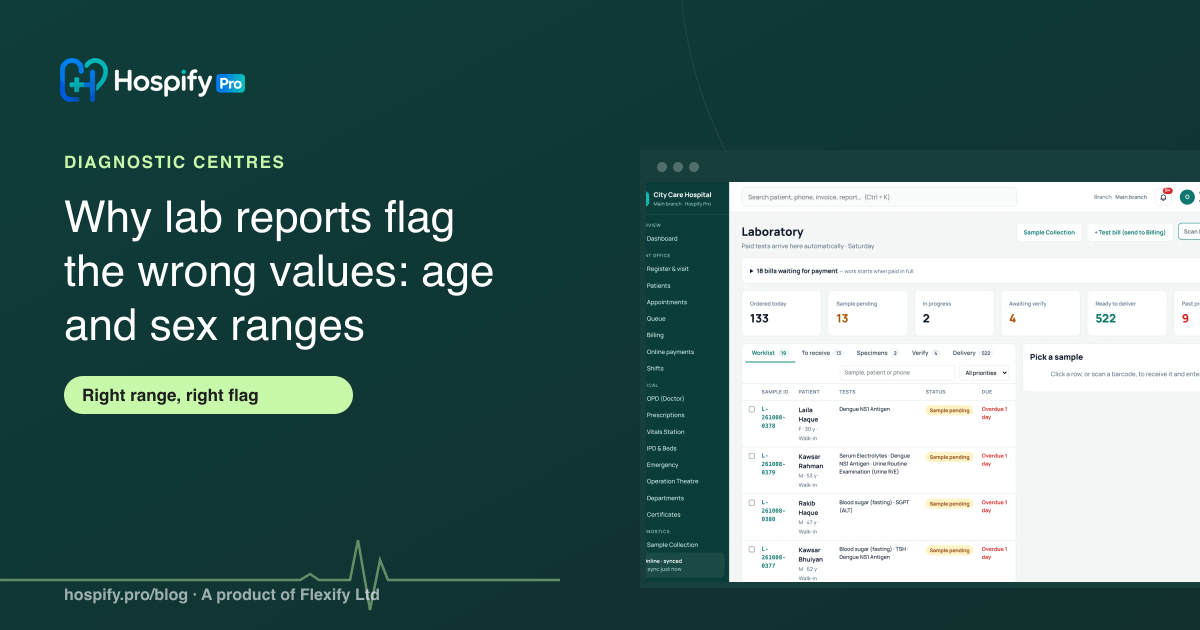
Lab reports flag the wrong values when every patient is checked against one adult normal range. Many tests have different ranges for men and women, children and newborns, so a normal child or woman can be flagged high or low. The fix is to set reference ranges by sex and age band for each test parameter, record every patient's sex and date of birth or age at registration, and let the software pick the right range and print who it applies to on the report. Ranges should come from your analyser kit and be approved by your pathologist.
In this guide 9 sections
- Why one range for everyone fails
- Step 1: Get the ranges from the right source
- Step 2: Set ranges by sex and age band
- Step 3: Record sex and age for every patient
- Step 4: Let the software choose the range and flag the value
- Step 5: Check panels and new tests before going live
- How Hospify Pro handles reference ranges
- Checklist
- Frequently asked questions
A mother brings her eight-year-old for blood tests. The report comes back with alkaline phosphatase marked high in bold. The family panics, the doctor has to explain that the value is normal for a growing child, and the lab looks careless.
The result was right. The flag was wrong, because the lab checked a child against an adult range.
This is one of the most common problems in small diagnostic centres, and it is easy to fix once the reference ranges are set up properly.
Why one range for everyone fails
A reference range is what healthy people usually show for a test. But “healthy people” are not all the same:
- Sex: haemoglobin is usually higher in adult men than in women. Creatinine also tends to be higher in men, because of muscle mass.
- Age: children and newborns have different normal values for many tests. Alkaline phosphatase is the classic example: it is normally much higher in growing children.
- Method: the same test can have different ranges on different analysers and reagent kits.
If your software has only one range per test, two things go wrong. Normal women and children are flagged abnormal, and doctors learn to ignore your flags. Worse, a value that is really abnormal for that patient may look normal against the wrong range.
Step 1: Get the ranges from the right source
Take ranges from the kit insert of the reagent or analyser you actually use, then have your pathologist approve them. Do not copy ranges from another lab, an old report or a website: they may be for a different method.
Keep a simple record of where each range came from and when it was approved. When you change analyser or reagent supplier, review the ranges again.
Step 2: Set ranges by sex and age band
For each test parameter (for example, Haemoglobin inside CBC), set:
| Who | Example age band | Example |
|---|---|---|
| Male | 18 years and over | Adult male range |
| Female | 18 years and over | Adult female range |
| Any | 1 to 17 years | Child range |
| Any | under 1 month | Newborn range |
| Default | everyone else | Used when nothing else fits |
You do not need this for every test. Many parameters have one range for all adults. Concentrate on the tests where it matters, which your pathologist will know: haemoglobin and other CBC values, creatinine, alkaline phosphatase, uric acid, hormones and others.
Step 3: Record sex and age for every patient
The best ranges are useless if the patient’s sex or age is missing. At registration:
- Make sex required.
- Record date of birth, or at least age, especially for children. For babies, age in days or months matters.
If age is missing, the software can only use the adult range, which is wrong for children.
Step 4: Let the software choose the range and flag the value
When the technologist enters a result, the software should:
- Pick the range that matches the patient’s sex and age.
- Mark the value low or high if it is outside that range.
- Print the range next to the result, and who it is for, for example “Female, 18 y and over”.
That last point matters. When the doctor sees “Range: child 1 to 17 y”, there is no confusion about why the number looks different from an adult report.
Step 5: Check panels and new tests before going live
Before you switch on a new test or panel:
- Enter a few test results for a man, a woman and a child, and check the flags.
- Ask the pathologist to review one printed report of each.
- Check units: a range in mg/dL against results in µmol/L will flag everything.
How Hospify Pro handles reference ranges
Hospify Pro’s laboratory module is built for this:
- Several ranges per parameter, each for male, female or any, with an age band from days to years, plus a default range.
- The right range is picked for each patient from their sex and age when results are entered.
- Values are flagged low or high against that range.
- The report prints the range and who it applies to, for example “Female · 18 y and over”.
- If the patient’s age is missing, the adult range is used, so record age at registration.
- Ranges belong to each parameter inside a test or panel, so CBC, lipid profile and other panels flag every line correctly.
It is part of the Diagnostic plan at Tk 6,500 a month$149 a month. You can try it in the live diagnostic demo. For the full lab workflow, read our guide to diagnostic centre software and the lab workflow, and if results come straight from analysers, see lab analyser integration.
Checklist
- Ranges taken from the kit insert of your analyser and approved by the pathologist.
- Separate ranges by sex and age band where they differ.
- A default range for everyone else.
- Sex required and age or date of birth recorded at registration.
- Reports print the range and who it is for.
- Each new test or panel checked with a man, a woman and a child before going live.
- Ranges reviewed whenever the analyser or reagent changes.
Frequently asked questions
What is a reference range on a lab report?
It is the range of results expected in healthy people for that test, printed next to the patient's result. Results below it are usually marked low and results above it high. It is not a diagnosis; the doctor reads it with the patient's condition.
Why do some tests need different ranges for men, women and children?
Because healthy values differ. Haemoglobin is usually higher in adult men than in women, creatinine tends to be higher in men, and alkaline phosphatase is normally much higher in growing children than in adults. Using one adult range for everyone flags normal results as abnormal, and can hide real problems.
Where should a lab get its reference ranges?
From the reagent or analyser kit insert for the method you use, adjusted and approved by your pathologist. Ranges vary between methods and analysers, so copying a range from another lab or a website can be wrong for your machine.
What happens if the patient's age is not recorded?
The software cannot choose an age-specific range, so it falls back to the adult range. Make age or date of birth required at registration for lab patients, especially children.
How does Hospify Pro handle reference ranges?
Each test parameter can have several ranges by sex (male, female or any) and age band, plus a default range. When the result is entered, Hospify Pro picks the range that fits the patient, flags the value low or high, and prints which group the range is for, for example 'Female, 18 y and over'.

Hospify Pro is built by Flexify Ltd for hospitals, diagnostic centres, clinics, doctors and pharmacies in Bangladesh and beyond. Our guides come from the questions owners and managers ask us every week. About us