Diagnostic centres send lab reports on WhatsApp by connecting their laboratory software to the WhatsApp Business Platform. When a pathologist verifies a report, the software sends the PDF to the patient’s registered WhatsApp number automatically, with an SMS link as a fallback. With Hospify Pro, each message sent costs one credit — about Tk 0.65 to Tk 1.00 in Bangladesh.
In this guide 11 sections
- Why send lab reports on WhatsApp?
- The right way vs. the risky way
- How it works, step by step
- What it costs
- Sending from your own WhatsApp number
- Privacy safeguards to insist on
- How patients actually experience it
- Step-by-step setup plan for your centre
- Common questions from diagnostic centre owners
- Getting started with Hospify Pro
- Frequently asked questions
Every diagnostic centre knows the evening rush: patients and relatives queueing at the counter just to collect a printed report that was ready hours ago. Phones ringing with the same question — “Is my report ready?” Staff searching through stacks of envelopes.
Sending reports to WhatsApp removes almost all of that. Patients get their results the moment they are verified, the counter stays clear, and the phones go quiet. This guide explains how it works, what it costs, how to keep it safe, and how to set it up.
Why send lab reports on WhatsApp?
For most patients in Bangladesh, WhatsApp is already the main way they communicate. Meeting them there has clear benefits for a diagnostic centre:
- Faster results. Reports reach the patient — and, if you choose, the referring doctor — as soon as the pathologist signs them off.
- Fewer counter visits. Patients no longer travel back just to collect paper.
- Fewer phone calls. “Is my report ready?” calls drop sharply.
- Lower printing costs. You print only when a patient asks for paper.
- A better impression. A clean, branded report on the phone feels modern and trustworthy — and patients remember where it came from.
The right way vs. the risky way
Many centres already send reports on WhatsApp — by having a staff member photograph the report and send it from a personal phone. It works, but it is risky:
- Reports can go to the wrong number.
- Unverified or draft reports can be sent by mistake.
- There is no record of what was sent, to whom and when.
- Patient data sits on personal phones that leave the building every evening.
The safer approach is to connect your laboratory software to the WhatsApp Business Platform, so sending is automatic, controlled and logged.
How it works, step by step
Here is the workflow in Hospify Pro. Other systems that do this properly follow a similar pattern.
- Register the patient with a mobile number. The number on the patient record becomes the delivery address for reports, prescriptions and bills.
- Bill the tests. Paid tests appear on the laboratory worklist automatically — nobody re-types test names.
- Collect and label samples with barcodes. Each sample is traceable from the collection point to the result.
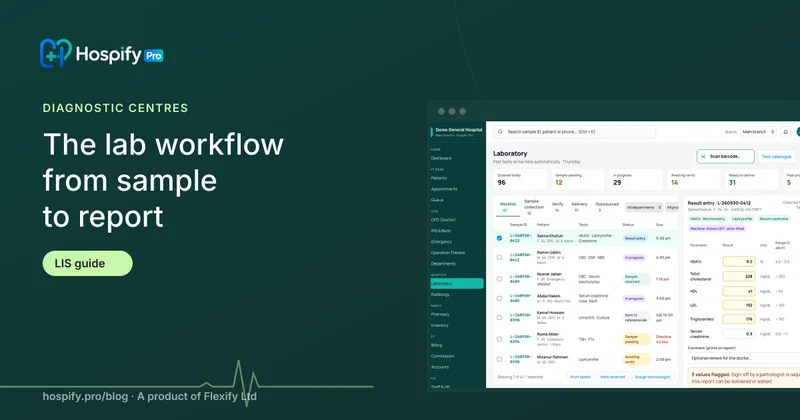
- Enter or receive results. Technologists enter results against reference ranges, or results flow in directly from connected analysers.
- The pathologist verifies. The report is checked and locked — it cannot be edited afterwards.
- The PDF goes to WhatsApp automatically. The patient receives a short message with the report attached. If WhatsApp delivery fails, an SMS with a secure link is sent instead.
- The report appears in the patient portal. Patients can download it again any time, and the referring doctor can be notified too.
The key is step 5: only verified, locked reports are ever sent. That one rule removes most of the risk.
What it costs
With Hospify Pro, messaging uses one simple currency — credits. One credit sends one WhatsApp utility message (including the PDF) or one SMS. Credits are prepaid, valid for 12 months, and charged only when a message is delivered.
| Pack | Price (BDT / USD) | Per message |
|---|---|---|
| 1,000 credits | Tk 1,000 / $15 | Tk 1.00 |
| 5,000 credits | Tk 4,250 / $60 | Tk 0.85 |
| 20,000 credits | Tk 15,000 / $220 | Tk 0.75 |
| 100,000 credits | Tk 65,000 / $1,000 | Tk 0.65 |
A quick example. A diagnostic centre delivering 150 reports a day sends about 4,500 messages a month. On the 20,000-credit pack that is roughly Tk 3,400 a month — usually less than the paper, envelopes, printing and staff time spent handing reports over the counter.
WhatsApp and SMS delivery is part of every Hospify Pro plan; you only buy credits. See all credit packs and add-ons.
Sending from your own WhatsApp number
By default, messages come from the Hospify Pro sender. With the WhatsApp Business API add-on (Tk 1,000 / $19 a month), reports, reminders and bills come from your diagnostic centre’s own verified WhatsApp number, with your name and logo. Patients see your brand, can reply to you directly, and save your number as a trusted contact.
Privacy safeguards to insist on
Whatever software you use, insist on these safeguards before you switch on WhatsApp delivery:
- Send only verified reports — never drafts or unchecked results.
- Send only to the number on the patient record — never to a number typed in at the last minute.
- Log every message — who sent what, to whom, and when, with delivery status.
- Use a business sender, not personal phones — so patient data doesn’t live on staff devices.
- Offer a patient portal — so patients download reports again rather than forwarding PDFs around.
- Ask for consent at registration — a simple tick-box that the patient agrees to receive reports on WhatsApp.
Hospify Pro builds each of these in. Read more about how Hospify Pro protects patient data.
How patients actually experience it
From the patient’s side it is simple:
- At registration they give their mobile number (most already do).
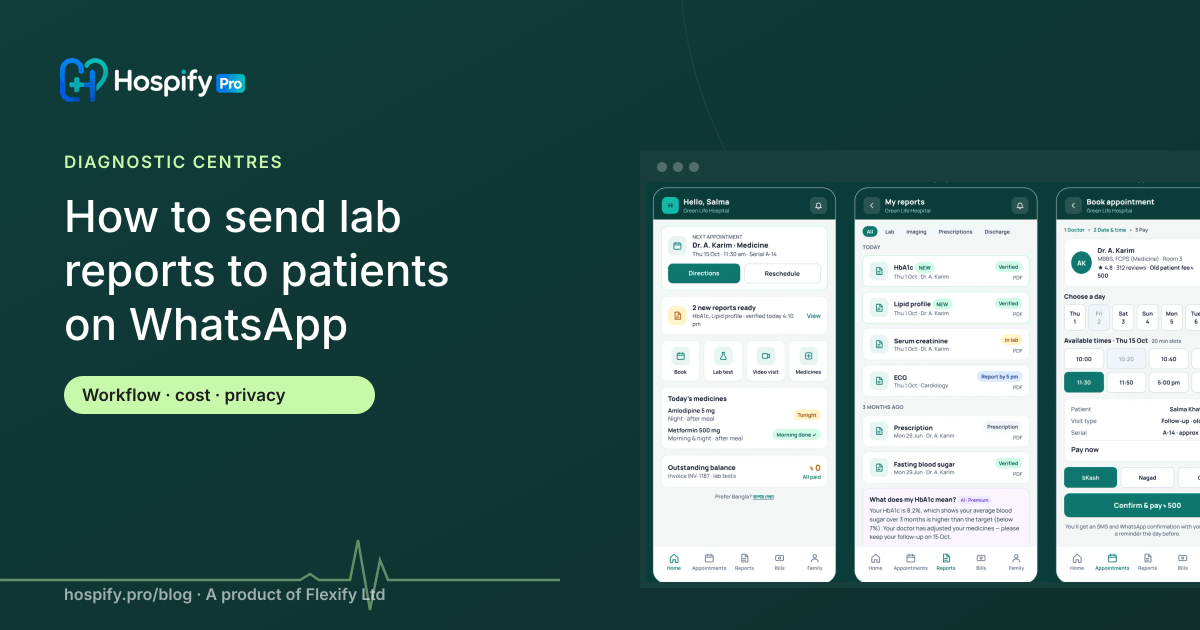
- A few hours later — or the next morning — they receive a message: “Dear Salma, your HbA1c and lipid profile reports from Green Life Diagnostic are ready.” with the PDF attached.
- They open it, forward it to their doctor if needed, and can download it again from the portal any time.
No app to install, no password to remember, no second trip.
Step-by-step setup plan for your centre
You can be live in a few days:
- Clean up phone numbers. Make sure new registrations always capture a valid mobile number.
- Set up tests and reference ranges in the laboratory module so verification is reliable.
- Decide who verifies. Name the pathologists or senior technologists allowed to verify and lock reports.
- Write your message template, in English and Bangla if you like — short, friendly, with your centre’s name.
- Buy a starter credit pack and set usage alerts.
- Run a pilot for a week with staff phone numbers, then switch on for patients.
- Tell patients at the counter and on your receipts that reports will arrive on WhatsApp.
Common questions from diagnostic centre owners
Will patients still want paper? Some will, especially older patients. Keep printing available on request — most centres find demand drops quickly.
What about referring doctors? Hospify Pro can notify the referring doctor when a report is ready, which doctors appreciate and which strengthens referral relationships.
Does it work if our internet is down? Reports verified while offline are queued and sent automatically as soon as the connection returns. See offline mode.
Getting started with Hospify Pro
WhatsApp and SMS delivery is included in every Hospify Pro plan. The full laboratory workflow — barcode samples, verify-and-lock, collection centres and referral commission — is in the Diagnostic plan at Tk 6,500 or $149 a month, with a 14-day free trial.
- See the laboratory features
- See the patient portal and WhatsApp reports
- See the live demo — the real software with sample data, no sign-up
- Book a demo to watch a report go from the analyser to a phone.
Frequently asked questions
Is it safe to send lab reports on WhatsApp?
Yes, when it is done properly: send only verified reports, only to the phone number registered on the patient record, log every message, and give patients a portal to download reports again instead of forwarding PDFs around. Avoid sending reports from a staff member’s personal WhatsApp.
Do patients need to save our number to receive reports?
No. Messages sent through the WhatsApp Business Platform reach the patient without them saving your number first.
What if a patient does not use WhatsApp?
Send an SMS with a secure link to the report instead. Hospify Pro falls back to SMS automatically when a WhatsApp message cannot be delivered.
How much does it cost to send a lab report on WhatsApp?
With Hospify Pro, one credit sends one WhatsApp utility message (including the PDF) or one SMS. Credits cost from Tk 1.00 down to Tk 0.65 each depending on the pack, and messages that fail to send are not charged.
Can reports come from our own WhatsApp number?
Yes. With the WhatsApp Business API add-on, reports, reminders and bills are sent from your diagnostic centre’s own verified WhatsApp number, with your name and logo.

Hospify Pro is built by Flexify Ltd for hospitals, diagnostic centres, clinics, doctors and pharmacies in Bangladesh and beyond. Our guides come from the questions owners and managers ask us every week. About us