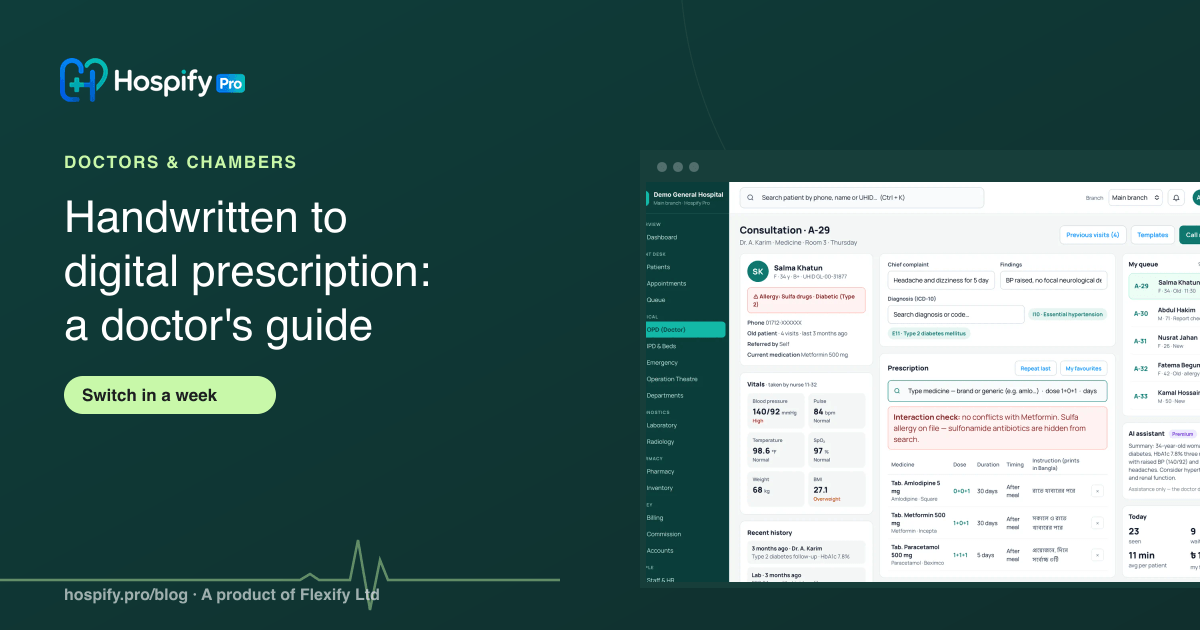
A doctor can move from handwritten to digital prescriptions in about a week: set up your letterhead and favourite medicines on day one, type only the prescriptions that need a safety check, keep writing the rest by hand on a tablet, and use Repeat last Rx for returning patients. Digital prescriptions are always legible, can be checked against a patient's allergies and interactions, and can reach the patient on WhatsApp. One US study found prescribing errors fell from 43% to 7% with e-prescribing while handwriting stayed at about 38%. Hospify Pro's Chamber plan, Tk 1,499 a month$24.99 a month, includes a write-by-hand page, one-tap repeat prescriptions and a phone view.
In this guide 10 sections
Most doctors in Bangladesh still write prescriptions by hand, and most are quick at it. The case for going digital is not that handwriting is wrong. It is that the same few minutes can also give you a legible copy, a patient history you can search, a safety check and a message to the patient. This guide shows how to switch without losing speed in a busy chamber.
What goes wrong with handwritten prescriptions
None of these is new, but they add up over a year of chambers:
- Legibility. A pharmacist has to guess, or call, or the patient takes the wrong strength.
- No history. To see what you prescribed at the last visit, you search a paper register or ask the patient.
- Lost copies. The patient loses the slip. You have no record to reprint.
- No safety net. Nothing warns you about a recorded allergy or an interaction.
- Repeat work. A returning patient on the same medicines means writing the same list again.
One US study published in 2010 compared 12 community practices, with 15 providers using electronic prescribing and 15 writing by hand. Prescribing errors fell from 43% to 7% for the electronic group, while the handwriting group went from 37% to 38%, and illegibility disappeared (Weill Cornell Medicine). It is one study, in one country, and “errors” there included missing information as well as unclear writing, so treat it as a signal rather than a promise for your chamber.
What you gain by switching
| Handwritten | Digital | |
|---|---|---|
| Legibility | Depends on the day | Always clear |
| Patient history | A register or memory | On screen when the patient is called |
| Returning patient | Write it again | Repeat last prescription |
| Allergy and interaction check | You remember | Software warns you |
| Reprint | Not possible | Anytime |
| To the patient | Paper slip | Paper and WhatsApp |
| Your letterhead and QR | Pre-printed pad | Printed every time, with QR check |
A realistic week to switch
You do not need to change everything in one day.
Day 1: set up (about an hour). Add your name, degrees, BMDC registration number and chamber address so the letterhead prints correctly. Add the 30 to 50 medicines you prescribe most as favourites. Search for medicines by brand or generic name instead of typing them in full.
Days 2 to 3: one chamber, paper beside you. Use the software for follow-up patients first, whose history and medicines are on screen already. Keep the paper pad for anything that is faster by hand.
Days 4 to 5: all patients. By now favourites and templates make most visits a few taps. Add condition templates for what you see daily, such as fever, hypertension, diabetes, gastritis or skin conditions.
Days 6 to 7: let your assistant handle the rest. Serials, fees and printing move to the assistant’s login, so your screen only shows the patient in front of you.
Five shortcuts that keep you fast
- Repeat last Rx. For a returning patient on the same treatment, it copies the last prescription, finishes it and marks the patient seen. It leaves out any medicine the patient is now allergic to, and stops and asks you to review if a serious safety warning appears. Anything that changed since the last visit should be written on the full screen.
- My favourites and templates. Save the combinations you prescribe most, per condition.
- Suggested advice. After you choose a diagnosis, ready advice appears in Bangla or English. Tap to add, then edit.
- Phone view. Run your line from your phone: see who is waiting, call the next patient, and send a finished prescription on WhatsApp.
- Lab trends. A patient’s past results show as a small trend line, so a rising HbA1c or creatinine is visible at a glance.
Keep your pen if you prefer it
If you write faster than you type, you do not have to give that up. On a tablet with a stylus or a touch-screen laptop, Hospify Pro’s Write by hand page lets you write the prescription, then prints it under any typed medicines, on your letterhead, with the patient’s details, the date, a QR code and your signature.
A good rule: type the medicines that need the safety check, because the allergy and interaction check reads typed medicines, and write instructions, drawings and anything unusual by hand. If you need to correct a finished prescription, use Amend prescription. The number stays the same and the printout says Amended.
Step-by-step screens are in our guide to phone view and writing by hand and the full doctor’s chamber guide.
What to look for in prescription software
- Your own letterhead with degrees and BMDC number, printed every time.
- Fast entry for a busy line: favourites, templates, repeat, medicine search by brand or generic.
- A safety check for allergies and serious interactions.
- Handwriting support if you prefer writing.
- Patient history you can open in seconds during the visit.
- WhatsApp delivery of the prescription.
- A trial you can run in real chambers for at least a week before paying.
Our longer guide to doctor chamber software in Bangladesh compares features, and the Doctor chambers page lists everything in the Chamber plan. The OPD and e-prescription page shows the screens.
What it costs
Hospify Pro’s Chamber plan is Tk 1,499 a month$24.99 a month for one doctor and two assistant logins, with a 14-day free trial and no card needed. See the pricing page for add-ons.
Try it in a real chamber
Open the live chamber demo, sign in as the doctor, and write one prescription: typed, repeated and by hand. It takes about five minutes and needs no sign-up.
Sources
Frequently asked questions
Is a digital prescription legal in Bangladesh?
Doctors in Bangladesh print computer-generated prescriptions on their own letterhead every day. Rules on prescriptions can change, so confirm anything specific, such as signature or registration requirements, with the Bangladesh Medical and Dental Council (BMDC) or your professional association.
Will typing slow me down in a busy chamber?
It can for the first few days. Most doctors recover the time with favourites, templates, suggested advice and one-tap repeat for returning patients. If you write faster than you type, use a handwriting page on a tablet and type only what needs a safety check.
Can I keep writing by hand?
Yes. Hospify Pro has a Write by hand page for a stylus or finger. The handwriting prints under the typed medicines on your letterhead, with the patient's details, the date, a QR code and your signature.
How does a digital prescription help patient safety?
It is always legible, it can show a patient's recorded allergies, and the software can warn about serious drug interactions. In Hospify Pro the check reads typed medicines, so type the ones that need it.
Can patients get the prescription on their phone?
Yes. A finished prescription can be sent to the patient on WhatsApp as a link, so they do not lose a paper slip. Printing on your letterhead stays available.
How much does prescription software cost?
Hospify Pro's Chamber plan is Tk 1,499 a month$24.99 a month for one doctor and two assistant logins, with a 14-day free trial and no card needed. It also includes serials, billing and a booking page.
How long does it take to switch?
Plan on about a week: day one to set up, then a few chambers on the new system with the paper pad beside you, then full use. Keep the paper pad nearby until you are comfortable.

Hospify Pro is built by Flexify Ltd for hospitals, diagnostic centres, clinics, doctors and pharmacies in Bangladesh and beyond. Our guides come from the questions owners and managers ask us every week. About us