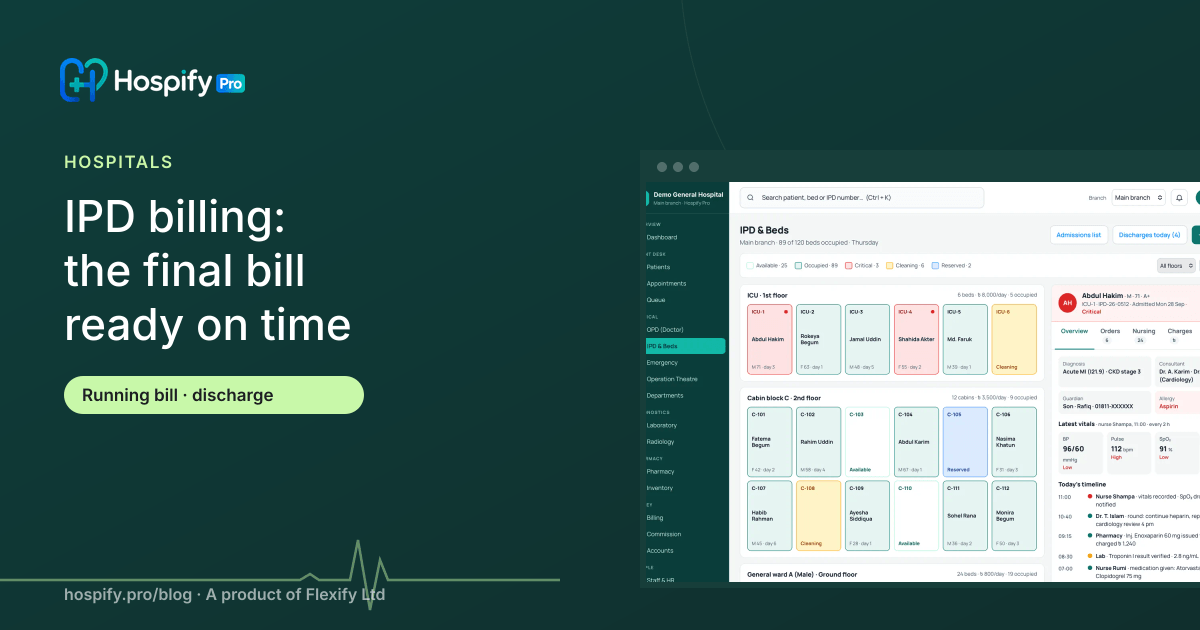
The final bill is late when charges are collected from wards, labs, pharmacy and OT only on discharge day. Fix it by keeping a running IPD bill from admission: bed days, doctor rounds, medicines, tests and procedures post to the patient's account as they happen, deposits are tracked, and the discharge summary and final bill are produced together. Hospify Pro's IPD module, included in the Hospital plan, works this way.
In this guide 10 sections
Discharge should be a good moment: the patient is better and going home. In many hospitals it becomes the worst part of the stay — hours waiting at the billing desk while someone chases charges from the ward, the pharmacy, the lab and the OT, and a family argues over a total they are seeing for the first time.
This guide explains why discharge bills are slow, how a running IPD bill fixes it, and what the process looks like in practice.
Why discharge bills are late
The usual pattern:
- The doctor writes “discharge” on the morning round.
- The ward compiles medicines and consumables used — often from paper sheets.
- The pharmacy, lab, radiology and OT are asked for their charges.
- Accounts adds bed days and doctor visits, applies discounts and deposits.
- Something is missing; someone phones the ward again.
- The family sees the total for the first time and disputes it.
Every step happens after the decision to discharge. That is the problem.
The fix: build the bill during the stay
A running bill is opened at admission and receives every charge as it happens:
| Charge | Posted when |
|---|---|
| Bed, cabin or ICU | Each day, automatically, by bed type |
| Doctor rounds and consultations | When the visit is recorded |
| Medicines and consumables | When issued from the pharmacy or ward store |
| Lab and radiology tests | When ordered |
| Procedures and OT | When recorded by the team |
| Services (oxygen, nursing, ambulance) | When provided |
By discharge day the bill is already complete. Accounts only reviews, applies any approved discount, and settles against deposits.
Deposits and interim statements
With a running bill, the billing desk always knows the current total and balance against deposits and advances. That lets you:
- Print interim statements for families at any time.
- Ask for top-up deposits before the balance grows too large.
- Avoid the surprise total that causes most discharge disputes.
Charge from the source
The most reliable way to avoid missed charges is to post them where the care happens:
- Pharmacy issue posts the medicine charge.
- Test order posts the lab or radiology charge.
- OT record posts surgeon, anaesthesia, theatre and consumable charges.
- Bed map posts daily bed charges by ward and bed type, and handles transfers automatically.
Nobody has to remember to write it down later — and every charge has a time, a user and a source in the audit log.
Control discounts and packages
Discharge is also where unapproved discounts appear. Set:
- Discount limits by role, with approval above the limit.
- Package rates for common procedures (for example a normal delivery or a caesarean package), so families know the price in advance and extra charges are clearly separate.
- Insurance and corporate billing, with the patient’s share and the payer’s share shown separately.
The discharge summary and final bill, together
When the doctor marks the patient for discharge, the discharge summary — diagnosis, treatment given, medicines to continue, follow-up advice — and the final bill should come out of the same system at the same time. The bed is released on the bed map and marked for cleaning, so the next admission can be planned.
What it looks like in Hospify Pro
- Admit from the visual bed map — ward, cabin or ICU, with deposit recorded.
- Care is recorded — nursing notes, vitals, medication, tests and procedures; charges post as they happen.
- Transfer between beds or to OT from the map; bed charges follow.
- Discharge — the summary and final bill are produced in one step, settled against deposits.
- The bed is released and shows as cleaning, then free.
IPD, emergency and OT are included in the Hospital plan (Tk 20,000 / $399 a month). Smaller plans can add IPD & Beds for Tk 2,000 / $29 a month. See IPD, emergency and OT features.
Measure discharge turnaround
Track the time from the doctor’s discharge decision to the patient leaving, and the number of bills changed after printing. When the bill is built during the stay, discharge no longer waits for charges to be collected — and there are fewer surprises for families to dispute.
Next steps
- See Hospify Pro for hospitals
- See billing, cashier and commission
- See the live demo — the real software with sample data, no sign-up
- Book a demo to watch a patient go from admission to discharge
Frequently asked questions
Why does hospital discharge take so long?
Usually because charges are gathered at the end: the ward sends medicine and consumable lists, the lab and radiology send their bills, the OT sends its charges, and accounts adds it all up. Any missing item delays the bill, and patients wait for hours.
What is a running IPD bill?
A patient account opened at admission that receives every charge as it happens: bed days, doctor visits, medicines, tests, procedures and OT. At any time the hospital and the family can see the current total and balance against deposits.
How do we stop missed charges?
Charge from the source. When a medicine is issued from the pharmacy, a test is ordered or a procedure is recorded, the charge posts to the patient's bill automatically, so nothing depends on someone remembering to write it down.
Can families see the bill during the stay?
Yes. With a running bill, the billing desk can print an interim statement at any time, and families can be asked for top-up deposits before the balance becomes a surprise.
Which Hospify Pro plan includes IPD?
IPD, emergency and operation theatre are included in the Hospital and Enterprise plans. Clinic and Diagnostic plans can add IPD & Beds for Tk 2,000 / $29 a month.

Hospify Pro is built by Flexify Ltd for hospitals, diagnostic centres, clinics, doctors and pharmacies in Bangladesh and beyond. Our guides come from the questions owners and managers ask us every week. About us