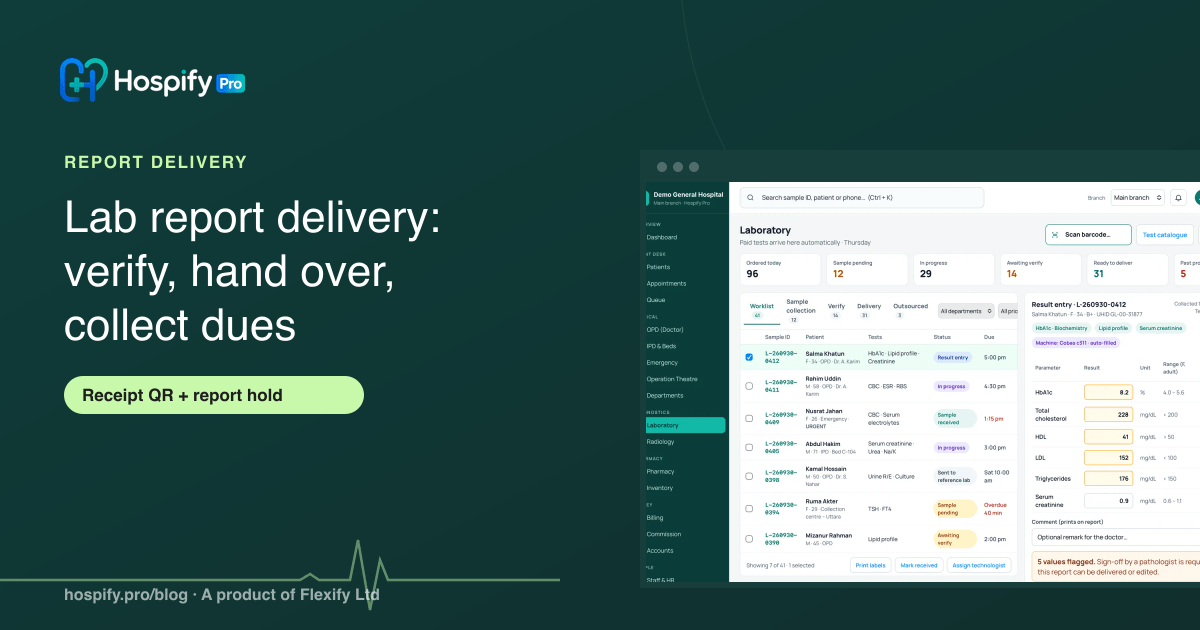
A diagnostic centre should deliver a lab report only after the pathologist has verified and locked it, then hand it over in one clear way: printed on the centre's letterhead, sent as a PDF on WhatsApp, or downloaded by the patient from the QR on their receipt. Record every handover, collect any dues at that point, and decide in advance whether unpaid bills hold the report. In Hospify Pro a report cannot be delivered until it is verified, the Delivery tab offers Print, Send on WhatsApp and Mark delivered, the receipt QR opens the patient's reports, and dues can be collected at delivery with an optional report hold.
In this guide 8 sections
Most disputes at a diagnostic centre counter are about one moment: the handover. A patient says they came for the report and it was not ready. A relative collects the wrong envelope. Someone leaves without paying the balance. None of this is a lab problem, but all of it lands on the lab. A clear delivery routine fixes most of it.
Step 1: Deliver only verified reports
The first rule is simple: a result should reach the patient only after a pathologist has checked it. In Hospify Pro the pathologist opens Laboratory → Verify, reviews the values and flags, and presses Verify & lock. The report then prints with the pathologist’s name, and a report cannot be delivered until it is verified. That keeps an unchecked result from leaving the building.
Step 2: Choose how the report is handed over
Open Laboratory → Delivery. Every verified report is listed there, and you choose one of three actions:
- Print report: prints on your letterhead with the pathologist’s name.
- Send on WhatsApp: sends the report PDF to the patient’s number.
- Mark delivered: records that the patient collected it.
For patients who live far away or ask the same evening, WhatsApp saves the trip. Our guide to sending lab reports on WhatsApp covers consent and wording.
Step 3: Let the receipt QR do some of the work
Every Hospify Pro receipt carries a QR code. The patient can scan it to check the bill and download their report later, without calling the centre. In the app, that QR page opens reports for the lab samples and imaging orders on that bill.
This is a QR on the receipt. A QR code printed on the report itself, to check the report is genuine, is not available today, so do not promise it to patients.
Step 4: Decide your policy on unpaid dues
Many centres release a report only after the bill is cleared. Others let regular patients pay later. Both are valid business choices. What causes trouble is staff applying the rule differently each day.
Hospify Pro lets you collect dues at report delivery, and it has an optional report hold for unpaid bills. Whatever you choose:
- Write the rule on the receipt or the counter.
- Collect part payments the same way every time.
- Check Dues & ageing in the reports to see who still owes money and for how long.
One caution, and it is our advice, not a legal rule: do not let a hold delay a result that could affect a patient’s safety. Phone the referring doctor or the patient about a serious result straight away and settle the bill afterwards. Agree this with your pathologist.
Step 5: Close the loop
At the end of the day, open the day’s reports and look at what is verified but not delivered. Those are your pending handovers. Follow up on them by phone or WhatsApp rather than leaving them in a drawer.
A short checklist
- Report verified and locked by the pathologist
- Handover method chosen: print, WhatsApp, or receipt QR
- Dues collected or the hold policy applied
- Handover marked as delivered
- Pending reports reviewed at day end
See it in the software
The diagnostic centre guide shows the Delivery tab step by step, and the laboratory page covers the wider lab workflow. For the full flow from sample to report, read our lab workflow guide. You can also try the live diagnostic demo with no sign-up.
Frequently asked questions
When should a diagnostic centre release a lab report?
Only after the pathologist has verified it. A report that has not been checked should never reach a patient. In Hospify Pro a report cannot be delivered until it is verified and locked, and it prints with the pathologist's name.
How can patients get their report without coming back?
Send it on WhatsApp as a PDF, or let the patient download it from the QR code on their receipt. Hospify Pro's receipt carries a QR code so the patient can check the bill and download their report later.
Can a centre hold a report until the bill is paid?
That is a business decision for each centre. Hospify Pro can collect dues at report delivery and has an optional report hold. Decide the policy first, write it on the receipt or the counter, and let staff apply it the same way every time.
Should urgent or serious results be held for unpaid dues?
A hold policy should not delay a result that could affect a patient's safety. Tell the referring doctor or the patient about a serious result straight away and settle the bill afterwards. This is general good practice, not a legal rule, so set your own policy with your pathologist.
How do we know who collected a report?
Mark every handover as delivered. In Hospify Pro the Delivery tab lists verified reports and has a Mark delivered button, so you can see which reports are still waiting to be collected.
Does the printed report have its own QR code to verify it?
Not yet. The QR on the receipt opens the patient's reports for that bill, but a QR check printed on the report itself is not available in Hospify Pro today.

Hospify Pro is built by Flexify Ltd for hospitals, diagnostic centres, clinics, doctors and pharmacies in Bangladesh and beyond. Our guides come from the questions owners and managers ask us every week. About us